KIKAI
HOW TO MAKE HER
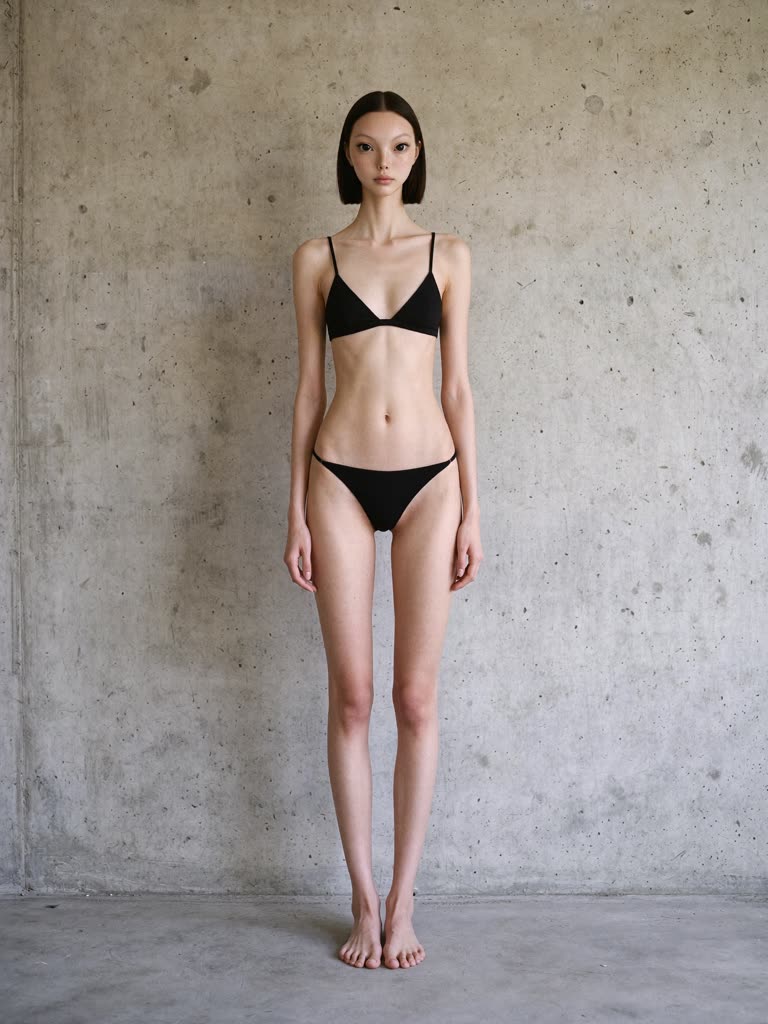
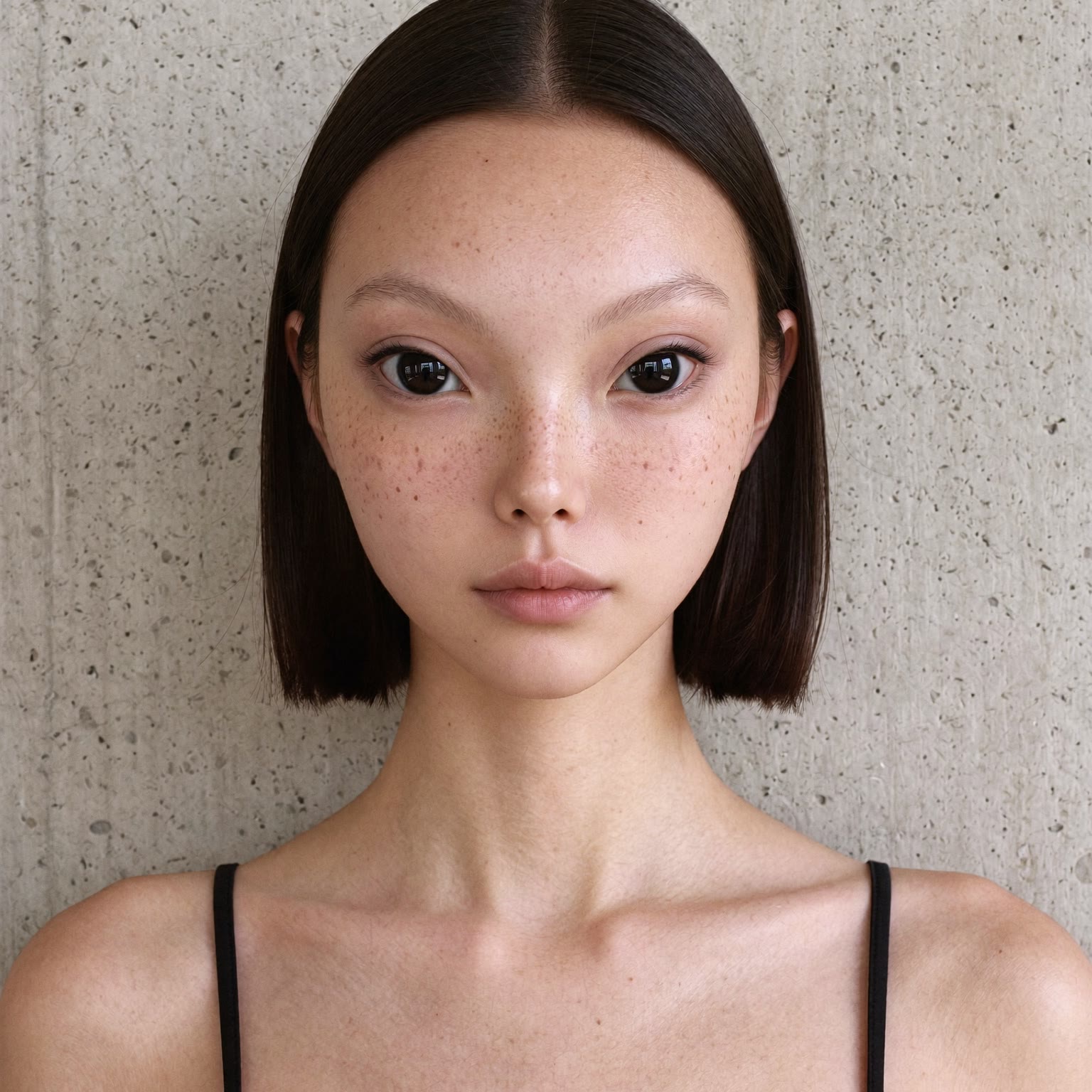
Some things never change. Her face. Her height. Her long, narrow frame. Everything else is yours.
This is the method, learned from making her. Use it with the kit.
What to trust, in order
- 1. Her faceThe official Digitals headshots. Exact eyes, eye spacing, nose, lips, jaw, faint freckles, skin tone. No beautifying, no blending with anyone else.
- 2. Her bodyThe official Digitals full-body views. 178 cm, rail-thin, small head on a long neck, long arms, very long legs.
- 3. The lookThe character sheet you chose. It decides hair, makeup, wardrobe and accessories for that piece, nothing else.
- 4. The sceneAn approved still of her in the place, if you have one. It sets perspective and scale.
- 5. The performanceA source video, if you are replacing someone. It gives timing and motion only. Never its body, never its clothes.
Physique
- She is tall. If the person you are replacing is short, Kikai is still tall. Retarget the motion onto her anatomy.
- Never shorten her legs, enlarge her head, widen her torso or push her farther from camera to hide the difference.
- Never stretch the whole image. The scene stays true; she stays long.
- Full body: photographed from a distance on an 85mm lens, natural perspective, no wide-angle distortion.
Face and hair
- Smiling portraits show her teeth, like her Digital smile. Runway and editorial faces are deadpan unless asked.
- Eyes always have catchlights from the scene's own light. Matte eyes are the first thing that reads as fake.
- Her face takes the scene's light, grain and focus. Never softer, never pasted on.
- Signature hair: sleek dark chin-length bob, center part, ending at her jaw.
- Pink hair: hot-pink twin ponytails tied high with black ties, blonde crown with dark roots, wispy ends around her jaw. Short, never long or loose.
- Hair follows the sheet you chose. Pink is not the default; the striped jumpsuit, for one, is her dark bob.
Performance and lip-sync
- Replace the whole person, not just the face, and their reflection too. Leave everyone else alone.
- Keep the source audio, duration, shot order, camera, framing and cuts unless the brief changes the setting.
- Copy the choreography beat for beat, including the ending. Small gestures matter: two fingers is two fingers, not a hand.
- Lip-sync to the original audio: every syllable, vowel, closure, pause, breath and the final smile, with her own lips and jaw. No added words, no new voice, no speed change, no offset.
- Give the tool the audio file. Words in a prompt cannot sync a mouth on their own.
Before you call it done
- Is it her face? Compare to the headshot, not to your memory.
- Is she tall? Head 9 to 12 percent of standing height. Legs long. Head small.
- Hair and wardrobe match the sheet, across every cut, turn and reflection.
- Feet touch the ground. Hands and objects overlap correctly. Timing matches the audio.
- A prompt is not a result. Look at the frames.
The template
Replace only [the named person] in the whole source video with Kikai, including reflections. Replace her complete appearance and body, not only the face. Reference priority: 1. the official Digitals for her face and her tall, long-limbed body; 2. the chosen character sheet for hair, makeup and wardrobe; 3. the source video for performance and timing only. Retarget the choreography, gestures and expression timing onto Kikai's anatomy. Do not shorten her legs, enlarge her head, broaden her torso or move her farther from camera to hide a height difference. Keep the source audio, duration, cuts, camera, framing and background unless told otherwise. Lip-sync: match every syllable, pause and breath to the original audio with her own lips and jaw; no added words, no speed change, no offset.
Distilled 2026-10-10 from the rules repeated on every piece. Exceptions exist per look; the sheet you chose wins over this page.